
Swann Security
Swann CommunicationsProductivity
4.64.43K Reviews
- Version
- 4.9.3
- Installs
- 1.00M
- Age Rating
- Everyone
Screenshots

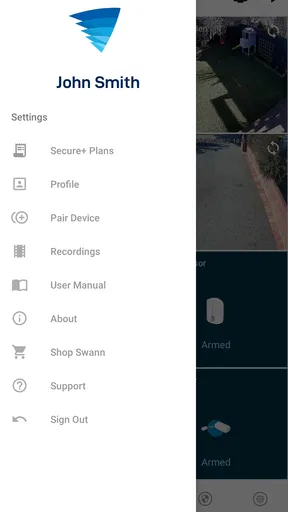
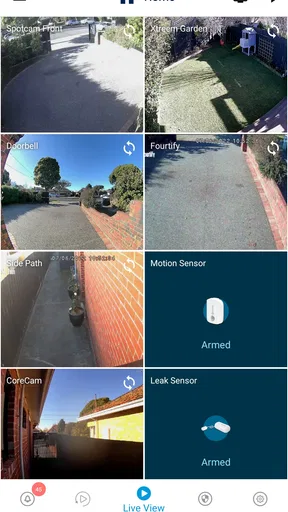
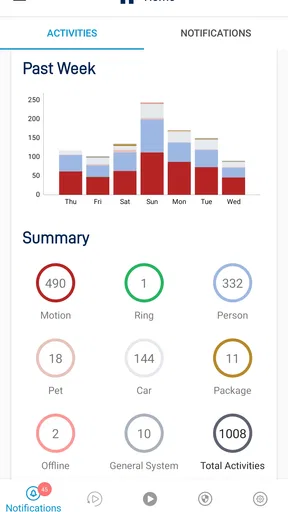
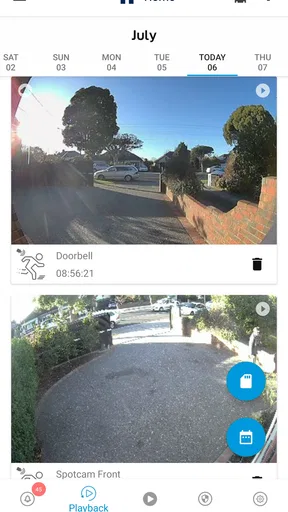
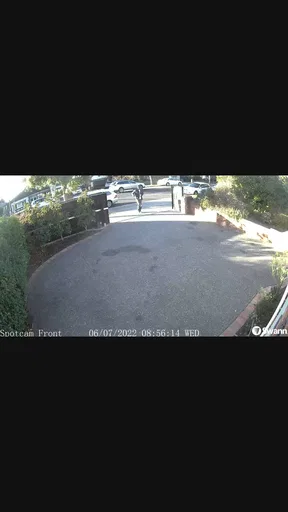
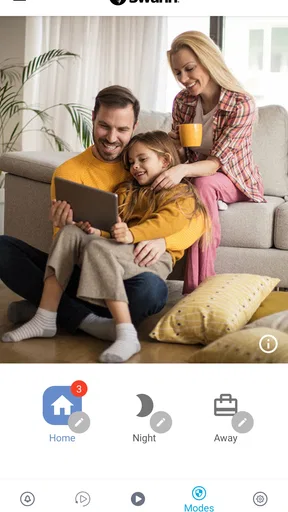
Our Review of Swann Security
 Analysis by Appyee
Home security apps can make it easier to check in when you are away, but they also ask you to trust a phone-based service with access to camera feeds and alerts. I see Swann Security as a companion to Swann equipment rather than a standalone security system: its usefulness depends on the cameras and recorder you already have, how you configure them, and whether remote viewing fits your routine. That distinction matters before you install it or rely on it.
Where this app earns its place
Made by Swann Communications, this free productivity app is designed for people who want to manage compatible security equipment from a phone. It has a 4.6 average from around 125,000 ratings, and it has passed one million installs. Those figures suggest a substantial user base, but they do not tell me whether a particular camera works with the app or whether its alerts will suit your property. I would check equipment compatibility before treating the download as a complete security solution.
The practical appeal is straightforward: instead of opening a separate monitor or waiting until you return home, you can use a mobile interface to check on a space. That can be useful for a household with a camera covering an entryway, or for a small business owner who wants a convenient way to look in between visits. It is less compelling if you do not own compatible Swann hardware, or if your main need is a camera-independent app that brings equipment from several brands into one place.
What to check before trusting alerts
Notifications can help draw attention to activity, but I would treat them as prompts to investigate rather than proof of what happened. A phone may be muted, offline, or simply out of reach when an alert arrives. Before relying on notifications for an important routine, I would test them while at home: trigger a normal event, see how it appears on the phone, and make sure the alert settings are useful rather than noisy.
A helpful habit is to decide in advance what you will do with an alert. If a camera covers a front door, for example, a notification may be a reason to open the live view, not a reason to assume that someone has entered. That small distinction keeps a monitoring app in its proper role: it helps you observe, but it does not replace sensible physical security or a plan for responding to an actual problem.
Privacy deserves a hands-on check
Camera footage is personal, so I would review the choices visible in the app and the device setup instead of assuming that a security label settles every privacy question. Look at which cameras are connected, who can access the account, and whether the current recording and alert setup matches the areas you genuinely need to monitor. A camera aimed at a shared or private space deserves a more careful decision than one covering an exterior entrance.
The app is rated for Everyone, but that age classification is not a privacy guarantee and does not mean every household member should have access. I would keep account access limited to people who need it, use the available account protections, and check the settings after changing phones or adjusting the home setup. Those are practical checks, not a claim about any particular data policy or permission behavior.
A more useful way to test it at home
Rather than judging the app from a quick glance at the home screen, I would test a realistic routine. Leave the house, wait until you are somewhere with an ordinary mobile connection, and try opening the view you expect to use. Then check how easy it is to find a relevant recording and whether the notifications arrive at a useful time. This reveals more than a brief setup session because it tests the complete chain from camera to phone in the situation you care about.
For a small shop, the equivalent test might be checking a camera view during a quiet period, then reviewing the recording after a normal delivery. The point is not to monitor constantly; it is to learn whether the app makes a specific task easier. If switching views or finding the right time takes too much effort, simplify the setup and keep only the views and alerts that serve a clear purpose.
Using the app day to day
Setting up Swann Security is a breeze. I downloaded it from the app store, and within minutes, I was up and running. The app pairs seamlessly with Swann's security cameras, and the installation is pretty much plug-and-play. No fuss, no muss, just the way I like it.
Interface and Usability
The first thing I noticed was the clean and intuitive interface. It feels like they really focused on user experience here. Navigating through the app is straightforward, and all the features are just a tap away. Whether you're tech-savvy or a newbie, you'll feel right at home.
Features that Stand Out
Now, let's talk about what makes this app tick. The live streaming feature is a game-changer. I can watch my cameras in real-time, and the quality is impressive. No more fuzzy images; we're talking crystal-clear HD here.
Motion detection alerts are another highlight. The app sends real-time notifications whenever there's unexpected movement. It’s like having a personal security guard who never sleeps. I also appreciate the customization options for these alerts, so I only get notified about what really matters.
Cloud and Local Storage
Worried about where all that video footage goes? Swann's got you covered. They offer both cloud and local storage options. You can choose what suits your needs, and switching between them is just a tap. It's reassuring to know that my data is secure, whether it’s stored locally or in the cloud.
For day-to-day use, I would think about storage as a workflow choice, not just a setting to pick once. Local recording may suit someone who prefers to keep footage with their equipment, while cloud storage can be more convenient for remote access if that option is available for their setup. Before settling on either, check what your specific devices support and whether any associated service or purchase is needed. In-app purchases range from $1.99 to $199.99 per item, so I would review the relevant details before committing to a paid option rather than assuming every storage choice is included free.
Integration with Smart Devices
In today's world, everything's about smart integration. The app syncs effortlessly with Google Assistant and Alexa, so I can use voice commands to control my cameras. It's not just cool; it's super practical, especially when my hands are full.
Voice control is a convenience, but I would not make it the only way to reach a camera view. In a busy home, a spoken command may be awkward or may not be the right choice when other people are nearby. Keeping the phone app familiar gives you another route to check a camera without depending on a voice assistant for every task.
Playback and Recording
One of the features that I found handy is the playback and recording capabilities. I can go back and review footage from specific dates and times, which is a lifesaver if you're trying to track down a particular event. The timeline view is neat and makes scrubbing through footage a breeze.
A small but useful habit is to note roughly when something happened before searching playback. Starting with a narrow time window can make a review less frustrating than dragging through a long stretch of footage, especially when you are checking a delivery or trying to understand a brief event. I would also test playback before I urgently need it, so I know where the controls are and what the timeline looks like on my device.
Security and Privacy
No review about a security app would be complete without discussing privacy. Swann Security takes this seriously. The app requires authentication, and all data is encrypted. I felt safe knowing that my videos and personal information were well-guarded.
Even with those protections, I would keep my own expectations measured. Authentication and encryption are valuable safeguards, but they do not decide which camera views are appropriate to share or who in a household should have access. I would periodically revisit the account and device setup, especially after a household change, a new phone, or a change in the rooms being monitored. The most useful privacy control is often a deliberate choice about what to capture in the first place.
Room for Improvement?
Of course, no app is perfect. I did notice that the app can lag a bit when switching between multiple cameras. It’s not a dealbreaker, but something to be aware of if you’re monitoring a lot of zones.
Another point is the occasional delay in notifications. While this wasn't frequent, it did happen a couple of times. A little more consistency here would be great.
Those rough edges matter more if you expect to move quickly between many views or depend on an alert arriving at exactly the right moment. For a simple setup, the delay may be a minor annoyance; for a busy property with several camera zones, I would test the workflow under normal conditions before making it part of a time-sensitive routine. If rapid multi-camera control is your priority, a dedicated monitor or a different system designed around that workflow may be a better fit.
Who will get the most from it
I would recommend considering this app if you already use compatible Swann cameras and want a phone-based way to check live views and recordings. It makes the most sense for people with a defined monitoring task: checking an entry, keeping an eye on a work area, or reviewing a particular event after being away. Someone who wants a single app for equipment from different manufacturers should compare broader smart-home or camera platforms instead, since this app is built around Swann hardware.
For a renter who cannot install compatible equipment, or someone who only wants a general home-automation dashboard, it may be the wrong starting point. The app itself cannot make an unsupported camera compatible or replace the hardware needed to capture footage. I would also skip relying on it as the sole response to emergencies; phone alerts and remote views are useful aids, not a substitute for a suitable security plan.
Version, access, and value
The current version is 4.6.7, and the app requires Android 9 or later. It is free to download, with optional in-app purchases, so the sensible way to judge its value is to separate the app from any hardware or paid service your preferred setup may require. The app is not a promise that every function or storage arrangement comes at no cost.
My practical recommendation is to confirm compatibility, install it, and test the views and playback you expect to use before building a routine around it. If you are choosing a phone for this purpose, make sure its operating system meets the minimum requirement. Those checks answer the questions that matter most before you spend time configuring cameras or consider any paid option.
Final Thoughts
All in all, Swann Security is a solid choice for anyone looking to beef up their home security. It's user-friendly, packed with features, and integrates well with other smart home devices. If you can live with the occasional hiccup, it’s definitely worth a try.
So, if you’re ready to take control of your home security from your smartphone, Swann Security might just be the app you’re looking for. Give it a shot, and let me know what you think!
Verdict
Strengths of Swann Security
- User-friendly interface for easy navigation.
- High-quality video resolution for clear viewing.
- Customizable motion detection zones.
- Supports multiple camera integrations.
- Remote access from anywhere via mobile app.
Limitations of Swann Security
- Occasional connectivity issues reported.
- Subscription required for advanced features.
- App notifications can be delayed.
- Setup process may be complicated for novices.
- Limited compatibility with older devices.
Similar Picks in This Category
View All
Google Calendar
Google LLC4.6

Google Drive
Google LLC4.3

Google Assistant
Google LLC3.9

Microsoft OneDrive
Microsoft Corporation4.6

Samsung Calendar
Samsung Electronics Co., Ltd.4.1

Microsoft OneNote: Save Notes
Microsoft Corporation4.6
Frequently Asked Questions
What features does the Swann Security app offer?
The Swann Security app provides a comprehensive suite of features for monitoring and managing your security system. Users can view live video feeds, receive motion alerts, and control cameras remotely. The app also supports multi-camera viewing, video playback, and integration with various Swann security devices, providing a robust security solution.
Is the Swann Security app compatible with all Swann devices?
The Swann Security app is compatible with most recent Swann security devices, including DVRs, NVRs, and cameras. However, some older models may not support all features. It’s advisable to check the specific compatibility of your devices with the app to ensure full functionality and access to all features.
How secure is the Swann Security app?
Security is a priority for the Swann Security app, which employs encryption to protect user data and video feeds. Regular updates help address vulnerabilities, and users are encouraged to use strong, unique passwords. Additionally, two-factor authentication can be enabled for added security to ensure only authorized access to the system.
Can I receive alerts and notifications from the Swann Security app?
Yes, the Swann Security app allows users to set up customizable alerts and notifications. You can receive instant alerts on your smartphone for any detected motion or unusual activity. These notifications can be tailored to specific cameras or areas, ensuring you are always informed of important security events.
Is there a subscription fee for using the Swann Security app?
The Swann Security app itself is free to download and use. However, certain features, such as cloud storage for recorded videos, may require a subscription. Users can choose from different plans based on their storage needs and preferences, ensuring flexibility and control over their security setup.
